

Navigation And Page Map
This page is the quickest way to answer two questions:
- Where am I in Pharaoh right now?
- Which page should I open next?
Shell Rules That Stay Consistent
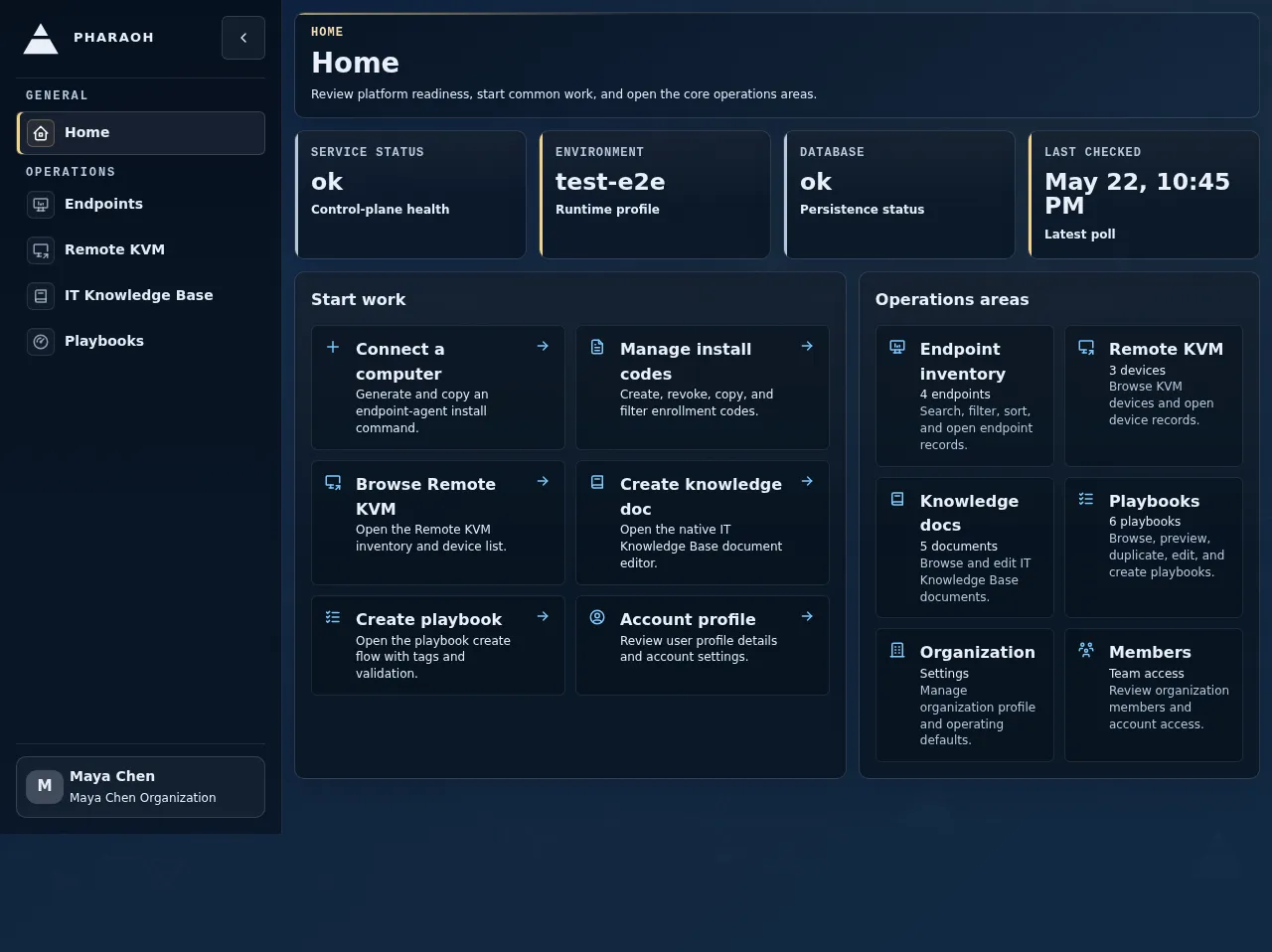
Section titled “Shell Rules That Stay Consistent”Homeis the root of the authenticated console.- Breadcrumbs start with
Homeand show the current page title. - The page header confirms the current page even when the route is opened directly.
- The user menu is the entry point for
User Profile,Organization Settings, organization switching, and sign-out. Organization Onboardingis different: it is an authenticated full-page capture flow outside the sidebar shell. Incomplete organizations are routed there before protected console pages can open.
Main Navigation Groups
Section titled “Main Navigation Groups”The left sidebar uses grouped navigation so operational pages stay separate from security and account context.
General
Section titled “General”Home: health and service overview throughOperations Snapshot
Administration
Section titled “Administration”Billing: organization billing setup, recovery, usage analytics, invoices, payment, and endpoint charge explanations
Operations
Section titled “Operations”Endpoints: endpoint inventory and endpoint detail workflowsRemote KVM: Android-hosted Remote KVM inventory, detail, and monitoring workflowsPlaybooks: reusable Markdown prompts for supported session composersSelf-Healing: fleet-level pending escalation overview and endpoint self-healing handoffIT Knowledge Base: knowledge documents used by operators and backend agent workflows
Security
Section titled “Security”Guardrails: guardrail templates and related management pages
Account And Session Routes
Section titled “Account And Session Routes”These routes are part of the authenticated shell even though they are not primary sidebar destinations.
/login-Login- Reach it from the direct sign-in URL or sign-in button.
- Use it to start an authenticated session.
/register-Register- Reach it from an administrator-provided invite link or direct invite redemption URL.
- Use it to redeem an invitation and start an authenticated session.
/onboarding-Organization Onboarding- Reach it from the automatic first-run or invite-resume redirect for incomplete organizations.
- Use it to complete mandatory profile and billing setup, then complete or skip optional endpoint and team setup.
/-Home- Reach it as the default post-login landing page.
- Use it to confirm health and move into the console.
/profile-User Profile- Reach it from the user menu.
- Use it to review signed-in identity and active session context.
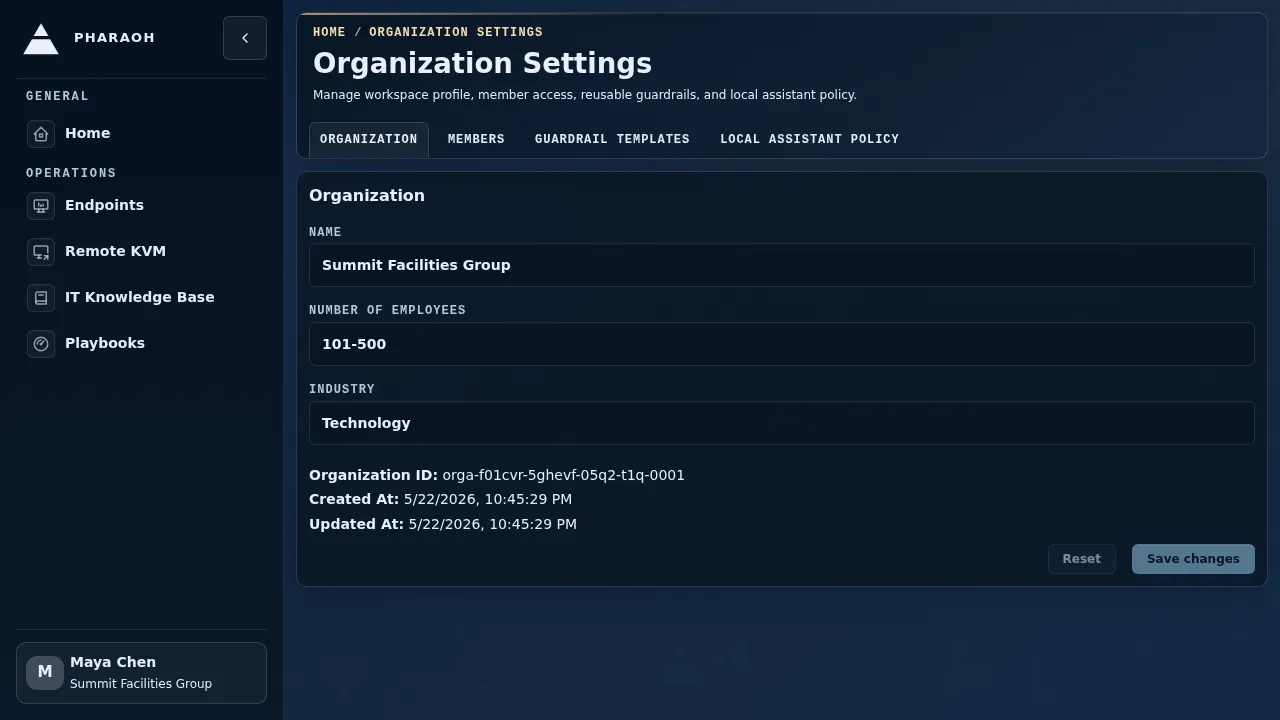
/organization-Organization Settings- Reach it from the user menu.
- Use it to review active organization details and member list.
/organization/members-Organization Members- Reach it from the
Organization Settingstab bar. - Use it to review member access and invite additional members.
- Reach it from the
/organization/guardrails-Guardrail Templates- Reach it from the
Organization Settingstab bar. - Use it to search, clone, delete, and open reusable guardrail templates.
- Reach it from the
/organization/guardrails/new-New Guardrail Template- Reach it from
New templatein the Guardrails inventory. - Use it to create a v2 guardrail policy with the overview matrix, platform rule families, explicit defaults, live tests, and an initial publish.
- Reach it from
/organization/guardrails/<template-id>-Guardrail Policy Builder- Reach it from a Guardrails inventory row.
- Use it to autosave draft edits, publish new versions, restore older versions into the draft, and review platform-scoped rule behavior.
/billing-Billing- Reach it from the
Administrationsidebar, setup/recovery redirect, or direct route. - Use it to review billing status, setup, usage mode, spend limit, invoices, payment recovery, and endpoint charges.
- Reach it from the
/billing/setup-Billing Setup- Reach it from a billing setup redirect or
Billing. - Use it to complete no-free-tier billing setup before billable work.
- Reach it from a billing setup redirect or
/billing/usage-Billing Usage- Reach it from
Billing. - Use it to review usage analytics, provider-native usage units, and spend-limit progress.
- Reach it from
/billing/invoices-Billing Invoices- Reach it from
Billing. - Use it to review invoice status and Stripe-hosted invoice recovery.
- Reach it from
/billing/payment-Billing Payment- Reach it from a billing recovery action.
- Use it to update payment details through Stripe-hosted recovery.
/billing/endpoints-Endpoint Charges- Reach it from
Billing. - Use it to explain endpoint active intervals, proration, and monthly endpoint charges.
- Reach it from
While /onboarding is incomplete, direct navigation to protected routes such as /, /organization, /profile, Endpoints, or IT Knowledge Base returns to /onboarding. The /billing/setup route is available from the onboarding Billing step after profile capture so billing can be completed before Pharaoh returns to onboarding for the authoritative status check. When onboarding is complete, Pharaoh exits to the safe original route when one was provided, or to Home.
Remote KVM Routes
Section titled “Remote KVM Routes”These routes live under the Remote KVM product area.
/remote-kvm-Remote KVM- Reach it from the
Operationssidebar. - Use it to browse and filter the Remote KVM fleet.
- Reach it from the
/remote-kvm/<remote-kvm-id>-Remote KVM Details- Reach it from an inventory row or
Viewaction. - Use it to manage one Remote KVM record, labels, and session entry points.
- Reach it from an inventory row or
/remote-kvm/<remote-kvm-id>/sessions/<session-id>-Remote KVM Session- Reach it from
Start session,Open session, orReopenon the detail page. - Use it to monitor the shared transcript and live frame for one Remote KVM session.
- Reach it from
Endpoint Local Web Routes
Section titled “Endpoint Local Web Routes”Endpoint Local Web is not part of the authenticated Pharaoh web console route map. It is opened from the endpoint agent tray or taskbar and served on loopback by the endpoint agent.
Status- Reach it from the Endpoint Local Web sidebar or mobile drawer.
- Use it to inspect allowlisted local runtime, backend reachability, and observation diagnostics.
Logs- Reach it from the Endpoint Local Web sidebar or mobile drawer.
- Use it to inspect redacted endpoint-agent logs.
Settings- Reach it from the Endpoint Local Web sidebar or mobile drawer.
- Use it to validate and save local endpoint-agent configuration.
Logs- Reach it from the Endpoint Local Web sidebar or mobile drawer.
- Use it to search, filter, live-tail, and export redacted endpoint-agent logs.
Settings- Reach it from the Endpoint Local Web sidebar or mobile drawer.
- Use it to edit validated local configuration, save atomically, restart, and recover through last-known-good fallback.
Playbooks Routes
Section titled “Playbooks Routes”These routes live under the Playbooks product area.
/playbooks-Playbooks- Reach it from the
Operationssidebar. - Use it to search, filter, sort, and open reusable Markdown prompts.
- Reach it from the
/playbooks/new-Create Playbook- Reach it from
New Playbookin the Playbooks list. - Use it to create a reusable Markdown prompt.
- Reach it from
/playbooks/<playbook-id>-Playbook- Reach it from a Playbooks list row or post-create navigation.
- Use it to edit, duplicate, delete, and review usage count for one Playbook.
/agent-core/threads/<thread-id>-Agent Thread- Reach it from linked thread-owning workflows.
- Use it to review a user-facing Agent Core thread and, when writable, load a Playbook into the thread composer.
Self-Healing Routes
Section titled “Self-Healing Routes”These routes live inside endpoint detail pages.
/endpoints/<endpoint-id>/self-healing-Endpoint Self-Healing- Reach it from the endpoint
Sentinelpanel, the endpointSelf Healingtab, or a direct route. - Use it to review the endpoint-scoped
Status,Sessions,Sentinel,Run history,Escalations,Activity, andKnowledgeviews.
- Reach it from the endpoint
/endpoints/<endpoint-id>/self-healing/sessions-Endpoint Self-Healing Sessions- Use it to review paginated linked recovery sessions and open projected session or thread targets.
/endpoints/<endpoint-id>/self-healing/sentinel-Endpoint Self-Healing Sentinel- Use it to inspect active Sentinel provenance and source, and to start
Regenerate Sentinel.
- Use it to inspect active Sentinel provenance and source, and to start
/endpoints/<endpoint-id>/self-healing/sentinel-runs-Endpoint Self-Healing Run history- Use it to compare paginated Sentinel execution history.
/endpoints/<endpoint-id>/self-healing/escalations-Endpoint Self-Healing Escalations- Use it to review endpoint-scoped escalation records and prior decisions.
/endpoints/<endpoint-id>/self-healing/activity-Endpoint Self-Healing Activity- Use it to review the paginated timeline synthesized from Sentinel, session, knowledge-document, and escalation records.
/endpoints/<endpoint-id>/self-healing/knowledge-Endpoint Self-Healing Knowledge- Use it to review and, when permitted, edit the single endpoint knowledge document.
Breadcrumb Examples
Section titled “Breadcrumb Examples”HomeHome / User ProfileHome / Organization SettingsHome / BillingHome / Billing / Usage
If a page opens from a saved link and the sidebar does not make the destination obvious, trust the breadcrumb trail first.
When To Use The User Menu
Section titled “When To Use The User Menu”Open the user menu when you need to:
- confirm the signed-in email address
- confirm the current organization
- switch organizations
- open
User Profile - open
Organization Settings - sign out